Introduction to Power BI and SQL Training in MumbaiJustAcademy offers a practical Power BI and SQL Training Course in Mumbai for students freshers graduates working professionals and aspiring data analysts who want to develop industry-relevant data analytics skills This training program focuses on working with databases analysing business data creating
Introduction to Power BI and SQL Training in Mumbai
JustAcademy offers a practical Power BI and SQL Training Course in Mumbai for students, freshers, graduates, working professionals, and aspiring data analysts who want to develop industry-relevant data analytics skills. This training program focuses on working with databases, analysing business data, creating interactive dashboards, and presenting meaningful insights to support business decisions.
The course is designed for learners who want to understand how organisations collect, process, analyse, and visualise data. Through practical sessions, guided exercises, and project-based learning, students can develop skills in SQL queries, data preparation, data modelling, Power BI reports, and dashboard development.
Located in Borivali East, Mumbai, JustAcademy provides classroom training for learners who prefer face-to-face guidance and hands-on practice. The course is suitable for beginners as well as professionals looking to strengthen their data analysis and reporting capabilities.
The Power BI and SQL course combines two important skills used in data analytics. SQL helps you retrieve and manage data stored in databases, while Microsoft Power BI helps you transform that data into interactive visual reports and dashboards.
Students also work on practical assignments and portfolio-oriented projects to understand how these tools are used in business scenarios. JustAcademy provides placement assistance, which may include resume preparation, interview guidance, and relevant job referrals based on available opportunities and candidate suitability.
Power BI and SQL Course Details
Course Detail
Information
Course Name
Power BI and SQL Training Course
Training Institute
JustAcademy
Location
Borivali East, Mumbai
Course Duration
3 Months
Training Format
Classroom training
Primary Tools
Microsoft Power BI and SQL
Learning Approach
Practical sessions, assignments, and projects
Suitable For
Beginners, students, freshers, and working professionals
Project Work
Sales, business reporting, and data analytics projects
Career Support
Resume preparation, interview guidance, and placement assistance
Course Fee
Contact JustAcademy for the latest fee and offers
What Is Power BI?
Microsoft Power BI is a business intelligence and data visualisation platform used to convert raw data into meaningful reports and interactive dashboards. It enables users to connect to different data sources, clean and transform information, build data models, and present business insights through visualisations.
Power BI is used by organisations to monitor sales performance, track revenue, analyse customer behaviour, understand operational performance, and prepare management reports.
During Power BI training at JustAcademy, students learn how to work with datasets, prepare data using Power Query, create relationships between tables, write basic DAX calculations, and design dashboards that communicate insights clearly.
Important Power BI Skills
Power BI Topic
What You Learn
Practical Application
Power BI Desktop
Working with reports and datasets
Building business reports
Data Import
Connecting to Excel, CSV, and databases
Combining data sources
Power Query
Cleaning and transforming data
Preparing raw business data
Data Modelling
Creating relationships between tables
Connecting sales and customer data
DAX Fundamentals
Measures and calculated columns
Calculating revenue and profit
Visualisations
Charts, cards, tables, and slicers
Presenting business performance
Interactive Dashboards
Filters and report interactions
Exploring data by region or product
Report Design
Layout, formatting, and usability
Creating professional dashboards
Power BI Service Basics
Publishing and sharing reports
Sharing insights with relevant users
What Is SQL and Why Is It Important?
SQL stands for Structured Query Language. It is used to retrieve, filter, organise, and analyse data stored in relational databases. SQL is an essential skill for data analysts because business information is frequently maintained in databases rather than individual spreadsheets.
With SQL, analysts can extract records, combine tables, calculate totals, group information, and identify trends before presenting results in reports or dashboards.
The SQL component of this course focuses on query writing and practical database operations. Students learn how to retrieve relevant information and prepare datasets for analysis.
SQL Training Topics
SQL Topic
Concepts Covered
Example Application
SQL Fundamentals
Databases, tables, rows, and columns
Understanding structured data
SELECT Statements
Retrieving specific columns
Viewing sales records
WHERE Clause
Filtering records
Finding sales from a particular city
ORDER BY
Sorting query results
Ranking products by revenue
Aggregate Functions
SUM, AVG, COUNT, MIN, MAX
Calculating total sales
GROUP BY
Grouping and summarising data
Sales by region
HAVING
Filtering grouped results
Finding high-revenue categories
Joins
INNER JOIN, LEFT JOIN, and related joins
Combining customer and order data
Subqueries
Queries within other queries
Identifying above-average sales
CASE Statements
Conditional logic
Categorising transactions
Date Functions
Working with dates
Monthly sales analysis
Data Analysis Queries
Combining multiple SQL concepts
Preparing reporting datasets
Power BI and SQL Training Modules
The program connects database querying with business intelligence reporting. Students learn how to retrieve data through SQL, prepare it for analysis, and use Power BI to present findings in a clear and interactive format.
Module
Key Topics
Expected Learning Outcome
Module 1: Data Analytics Fundamentals
Data types, datasets, KPIs, and business questions
Understand the data analysis process
Module 2: SQL Fundamentals
Queries, filters, sorting, and aggregations
Retrieve and summarise database records
Module 3: Intermediate SQL
Joins, subqueries, CASE, and date functions
Analyse data across multiple tables
Module 4: Data Preparation
Cleaning, missing values, and data consistency
Prepare reliable datasets
Module 5: Power BI Fundamentals
Data sources, report views, and visualisations
Create basic reports
Module 6: Power Query
Data transformation and column operations
Clean and reshape data
Module 7: Data Modelling
Relationships and table structures
Build connected analytical models
Module 8: DAX
Measures, calculated columns, and basic time-based calculations
Create business metrics
Module 9: Dashboard Development
Charts, slicers, filters, and report layout
Build interactive dashboards
Module 10: Practical Projects
SQL analysis and Power BI reporting
Apply skills to business scenarios
Module 11: Interview Preparation
SQL exercises, dashboard explanations, and project discussions
Prepare for relevant job interviews
The specific sequence and coverage can vary according to the batch plan and learners' progress.
Practical Projects in Power BI and SQL
Practical projects help learners apply technical concepts to realistic business questions. Students can use sample datasets to write SQL queries, clean data, calculate performance indicators, and create Power BI dashboards.
The following are suitable portfolio project ideas for a Power BI and SQL training program.
Project List and Skills Developed
Project Name
SQL Work
Power BI Dashboard
Business Insights
Sales Performance Analysis
Query sales, product, and region data
Revenue, profit, and sales trend dashboard
Identify top-performing products and regions
E-commerce Analytics
Analyse orders, customers, and transactions
Orders, revenue, and category dashboard
Understand purchasing patterns
Customer Analysis
Combine customer and transaction tables
Customer segmentation and purchase dashboard
Identify valuable customer groups
HR Analytics
Analyse employee and department records
Headcount, attrition, and department dashboard
Review workforce trends
Marketing Campaign Analysis
Summarise campaign and lead data
Leads, conversion, and campaign performance dashboard
Compare campaign effectiveness
Financial Reporting
Calculate revenue, expenses, and margins
Financial summary dashboard
Track profitability and spending
Inventory Analysis
Query stock, product, and movement records
Inventory and stock-level dashboard
Identify stock shortages and slow-moving items
Example: Sales Performance Dashboard Project
In this project, students work with sample sales data containing order dates, product categories, sales amounts, quantities, regions, and customer details.
Students use SQL to retrieve sales records, calculate total revenue, group transactions by product or region, and identify top-performing categories. They then connect the prepared data to Power BI and develop an interactive dashboard.
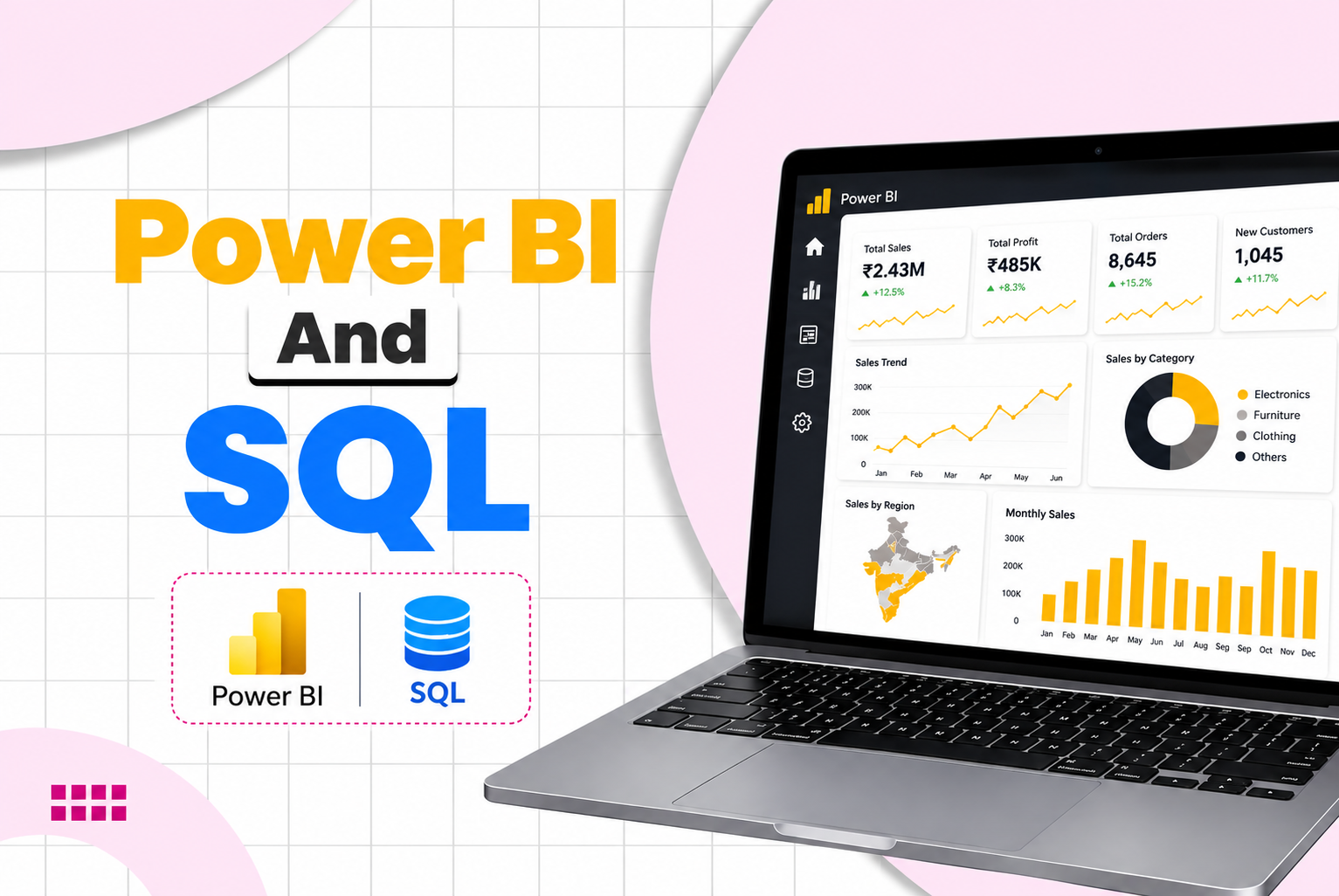
The dashboard may include total revenue, total orders, profit, monthly sales trends, product performance, and regional comparisons. Slicers can allow users to filter results by date, product category, and region.
Skills developed: SQL queries, data aggregation, data modelling, DAX measures, dashboard design, and business reporting.
Career Opportunities After Power BI and SQL Training
Power BI and SQL skills are relevant to several data-focused roles. The position available to a candidate depends on their technical ability, educational background, experience, communication skills, and the requirements of the hiring organisation.
Job Role
Typical Responsibilities
Relevant Skills
Data Analyst
Analyse datasets and identify trends
SQL, Power BI, data cleaning
Power BI Developer
Build and maintain dashboards
Power BI, DAX, data modelling
MIS Executive
Prepare regular reports and performance summaries
Excel, SQL basics, Power BI
Reporting Analyst
Automate and maintain business reports
SQL, reporting, visualisation
Business Intelligence Analyst
Translate business needs into analytical reports
SQL, Power BI, KPI analysis
Junior Business Analyst
Support requirements analysis and reporting
Data interpretation, SQL, dashboards
Data Visualisation Analyst
Communicate insights using visual reports
Power BI, visual design, storytelling
These roles are potential career paths rather than guaranteed outcomes of completing the course.
Power BI and SQL Salary in India
Salary depends on experience, location, technical skills, industry, interview performance, and the responsibilities of the role. The following figures are indicative planning ranges, not verified salary offers or guaranteed outcomes for JustAcademy students.
Indicative Salary Ranges by Job Role
Job Role
Illustrative Annual Salary Range
MIS Executive
₹2.0 lakh–₹4.0 lakh
Junior Data Analyst
₹2.5 lakh–₹5.0 lakh
Reporting Analyst
₹3.0 lakh–₹6.0 lakh
Power BI Developer
₹3.5 lakh–₹8.0 lakh
Data Analyst
₹3.0 lakh–₹8.0 lakh
Business Intelligence Analyst
₹4.0 lakh–₹10.0 lakh
These are broad indicative estimates for career planning in India. Actual salaries may fall below or above these ranges, and they should not be interpreted as current verified market averages.
Salary by Experience Level
Experience Level
Illustrative Annual Salary Range
Typical Expectations
Fresher / Entry Level
₹2.5 lakh–₹4.5 lakh
SQL fundamentals, basic dashboards, and project knowledge
1–3 Years
₹4 lakh–₹8 lakh
Independent reporting, SQL joins, and DAX measures
3–5 Years
₹6 lakh–₹12 lakh
Advanced reporting, data modelling, and business analysis
5+ Years
₹10 lakh–₹18 lakh+
Complex analytics, optimisation, stakeholder management, and solution ownership
Experience-based ranges are indicative and overlap with job-role ranges. They are not promises of salary progression. Candidates with strong SQL, data modelling, DAX, communication, and problem-solving skills may be better prepared to compete for relevant positions.
Who Should Join the Power BI and SQL Course?
The course is suitable for learners who want to build practical database and reporting skills.
Students and graduates: Develop job-oriented data analysis skills and create portfolio projects.
Freshers: Learn how to query data and build dashboards for entry-level opportunities.
Working professionals: Strengthen reporting, analysis, and business intelligence skills.
MIS and reporting executives: Improve data preparation and dashboard-building capabilities.
Excel users: Progress from spreadsheet-based reporting to database queries and interactive dashboards.
Business analysts: Develop additional technical skills for data-driven reporting.
Professionals planning a career transition: Explore data analytics through structured learning and practical assignments.
No prior Power BI experience is required for a beginner-friendly learning path. Basic computer familiarity and a willingness to practise are helpful. SQL and Power BI concepts should be reinforced through regular exercises.
Why Learn Power BI and SQL Together?
Learning SQL and Power BI together helps students understand the complete reporting workflow rather than only one part of the process.
SQL is useful for retrieving, joining, filtering, and aggregating records from relational databases. Power BI is useful for transforming data, modelling relationships, creating calculations, and presenting results through visual reports.
Business Requirement
How SQL Helps
How Power BI Helps
Analyse monthly revenue
Retrieves and groups sales records
Displays monthly revenue trends
Compare product categories
Summarises product-level performance
Presents category comparisons
Track regional performance
Filters and aggregates regional data
Creates regional dashboards
Monitor business KPIs
Calculates or prepares relevant measures
Displays KPI cards and trends
Review customer behaviour
Combines customer and transaction tables
Visualises customer segments and patterns
Prepare management reports
Produces structured analytical datasets
Creates interactive management dashboards
This combined skill set can help learners prepare for roles involving reporting, business intelligence, and data analysis.
Placement Assistance at JustAcademy
JustAcademy supports students in preparing for relevant job opportunities after training. The goal is to help learners present their skills clearly and understand how to approach recruitment processes.
Placement assistance may include:
Resume preparation and improvement.
Guidance on describing SQL and Power BI projects.
Practice questions for SQL interviews.
Dashboard walkthroughs and project explanation practice.
Interview preparation and communication guidance.
Relevant job referrals or company introductions when opportunities are available and the candidate's profile matches the role.
Placement assistance is not a job or salary guarantee. Hiring decisions depend on the employer's requirements, available vacancies, candidate performance, and other selection criteria.
Students can strengthen their profiles by practising SQL queries, building well-structured Power BI dashboards, documenting project objectives, and explaining the business insights they discovered.
Power BI and SQL Training in Borivali East, Mumbai
JustAcademy provides classroom-based training in Borivali East for learners seeking local guidance and practical instruction. The location may be convenient for students and working professionals travelling from nearby parts of Mumbai.
Learners searching for Power BI training in Borivali, SQL classes in Borivali East, data analytics training in Mumbai, or a Power BI course near Borivali station can explore the program to understand its modules, practical activities, and career support.
The classroom learning approach emphasises working through examples, practising queries, building reports, and resolving doubts during sessions. Students should confirm the current batch schedule, available seats, course fee, and exact training arrangements directly with JustAcademy before enrolling.
Benefits of Joining JustAcademy
Benefit
How It Supports Learning
Structured Learning
Builds SQL and Power BI skills progressively
Practical Exercises
Helps reinforce concepts through regular practice
Project-Based Learning
Provides opportunities to apply skills to business datasets
Dashboard Practice
Develops data visualisation and reporting skills
Interview Preparation
Helps learners practise technical questions and project explanations
Resume Guidance
Helps present relevant skills and project experience
Placement Assistance
Supports the job-search process through guidance and relevant referrals
Local Classroom Training
Offers in-person learning in Borivali East, Mumbai
Enrol in Power BI and SQL Training in Mumbai
Build practical skills in database querying, data preparation, dashboard development, and business reporting with the Power BI and SQL Training Course at JustAcademy, Borivali East, Mumbai.
Whether you are a student, fresher, Excel user, working professional, or aspiring data analyst, structured learning and hands-on practice can help you build a stronger foundation in data analytics.
Explore the course, practise with business datasets, develop portfolio projects, and prepare for relevant job opportunities with resume guidance, interview preparation, and placement assistance.
Contact JustAcademy to confirm the current batch schedule, course fees, and admission availability.
Enroll Now Pay Later
Curriculum
Curriculum will get updated soon.
Talk to Our Advisors
Not sure about which course to choose? Our advisors are here to help you!
What Makes JustAcademy Institute of Skills Training So Special?
JustAcademy offers Power BI and SQL Training in Mumbai for students, freshers, and working professionals who want to build practical data analytics skills. Located in Borivali East, Mumbai, the course focuses on SQL database querying, Microsoft Power BI dashboards, data visualisation, and business intelligence reporting. Students learn SQL fundamentals, joins, aggregate functions, data filtering, and data analysis techniques.
The Power BI training covers Power Query, data transformation, data modelling, DAX calculations, interactive reports, and dashboard development. Practical exercises help learners analyse sales, customer, financial, and business performance data. The program combines SQL for data extraction with Power BI for reporting and visual analytics. It is suitable for learners exploring Data Analyst, Power BI Developer, MIS Executive, and Business Intelligence Analyst career paths.
Students can develop portfolio projects to demonstrate their technical and analytical skills. JustAcademy also provides resume guidance, interview preparation, and placement assistance based on suitable opportunities. If you are looking for a Power BI and SQL course in Borivali, Mumbai, this program offers a practical foundation for data analysis and reporting.